Equipment. Location. Service call.

Find the right unit. Get more done in one trip.

The exact location of your equipment and its access points. Nearby units you can service on the same trip.

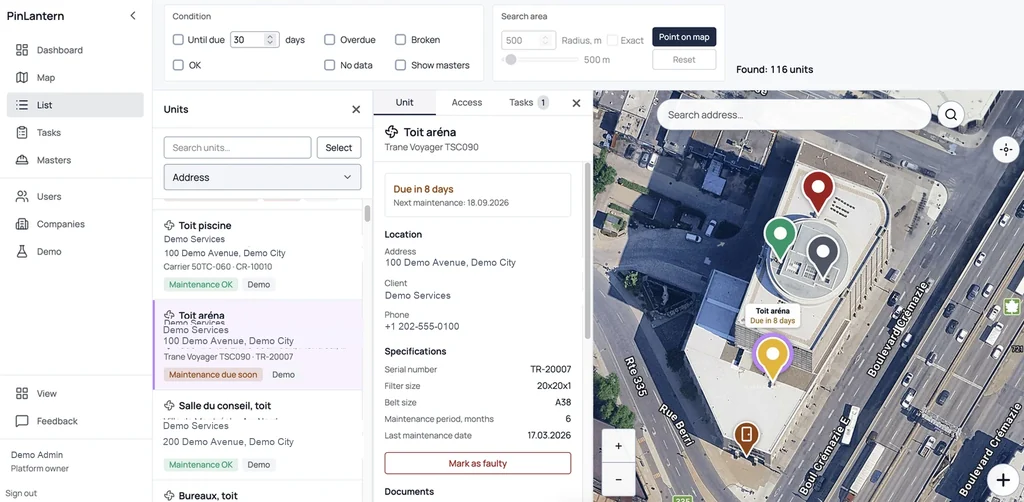
PinLantern interface: equipment list, the card for the selected Toit aréna unit and a satellite map with units and an access point.
The selected unit, its card and its access point on the map.

Find and get there

Stop searching the whole roof for the right unit.

A large site can have dozens of look-alike units, and finding the right one can take up to an hour. Often two techs go out: one waits below while the other walks the roof. Together they hunt for the customer’s unit, check the model and serial number, and call whoever was there last.

Up to two paid hours — before the work even starts.

The equipment has its own pin. So does the access point.

The tech opens the unit’s card and sees its exact position on the satellite image of the roof. Access is shown separately: where the ladder, door or hatch is. On a large building, the equipment and the way up can be far apart.
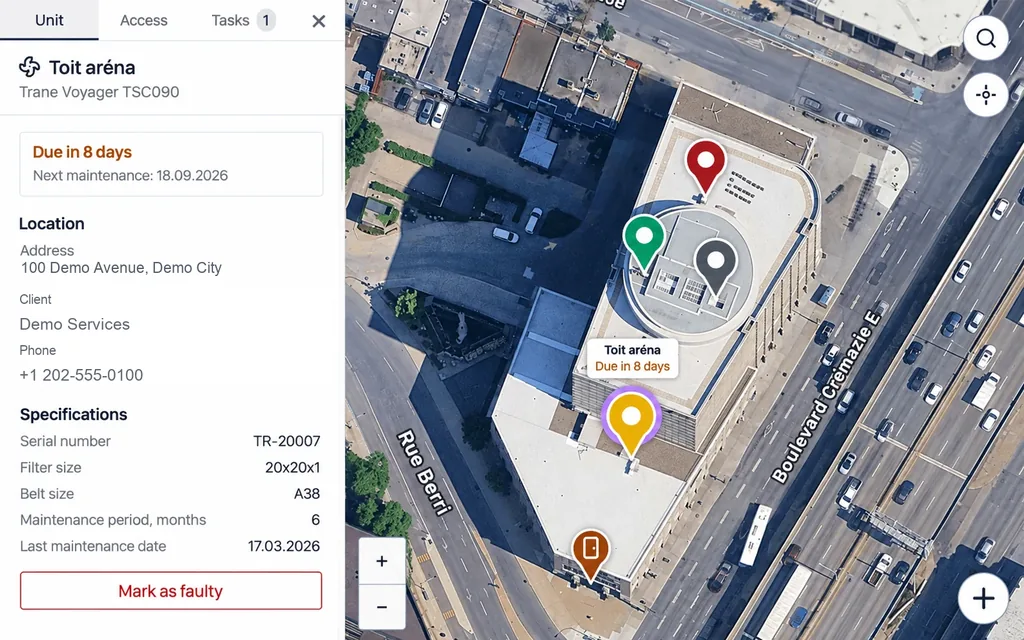
Toit aréna card next to the satellite map: the selected unit with its label and a separate brown access marker.
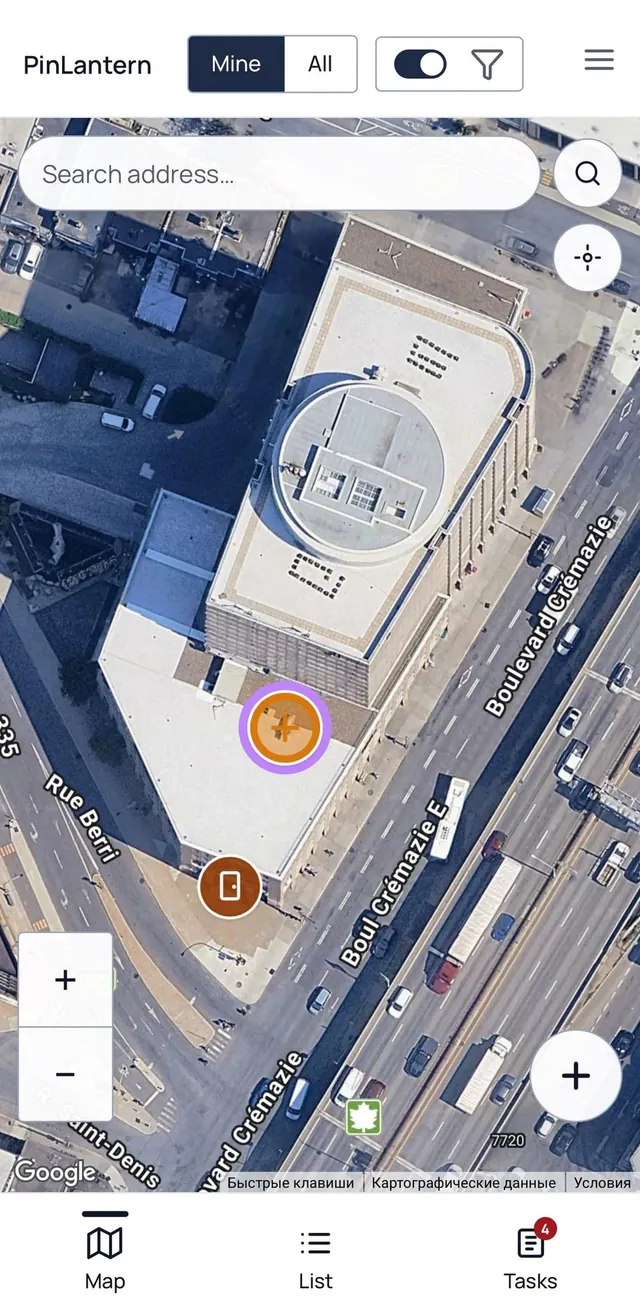
PinLantern on a phone: satellite map of the roof with the selected marker and a separate access point.

Work nearby

Your tech is already on the way — see what else can be done nearby.

Search around the target unit, any point on the map or the tech’s current location.

Pick a radius and see the equipment within it: units that are down, overdue preventive maintenance and maintenance coming due in the next few days. If the tech is already there, that’s reason enough to do the job while on site.

Don’t go back next week to the place your tech was today.

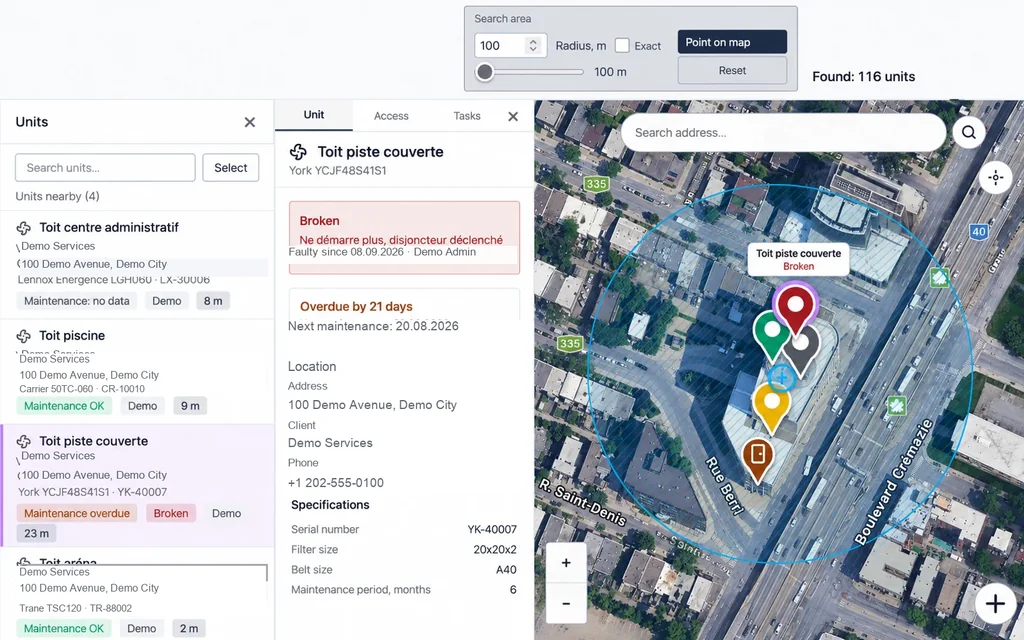
PinLantern: a 100-metre radius, four nearby units and the card of the selected unit that is down.
Search radius and nearby units.

What else is inside

Job prep and service context

Dispatcher and technician

Dispatcher and technician: two workflows.

Dispatcher

Main job → see what’s nearby → add work → assign

The dispatcher assigns the main task, sees what else is near that unit or near the tech already in the area, and sends the extra work to the same person.

Technician

I’m already here → look nearby → pick → take the job

On site, the tech checks what’s around and takes on more work during the same trip — without waiting for someone else to notice.

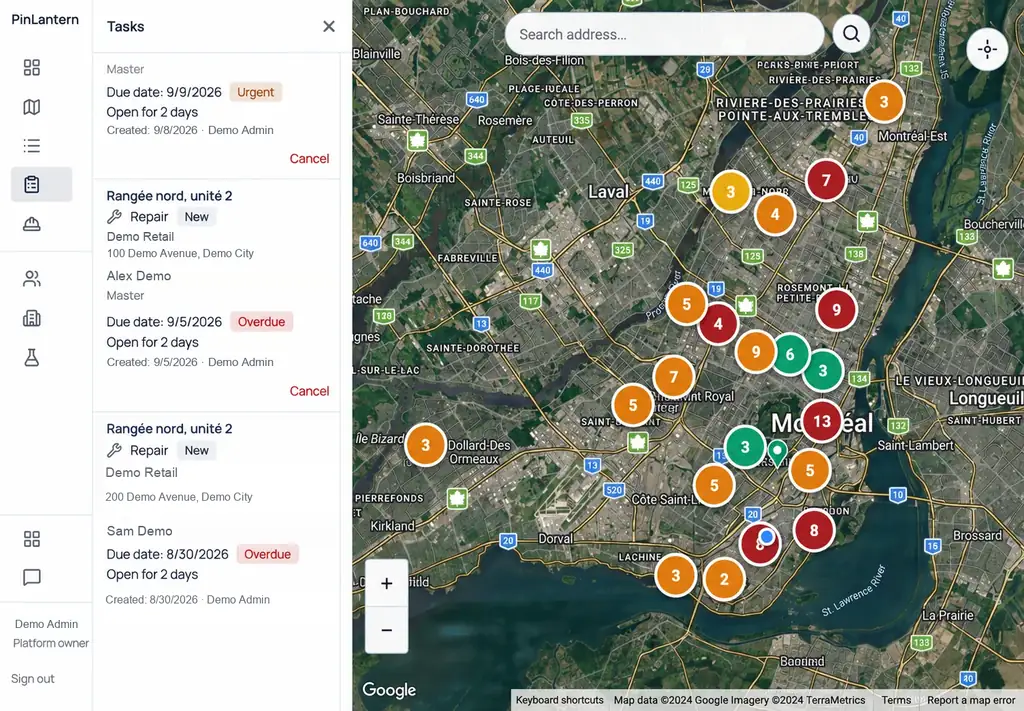
PinLantern on a computer: task list with assigned techs and an equipment map of the Montreal area.
Dispatcher · map and assigned tasks.
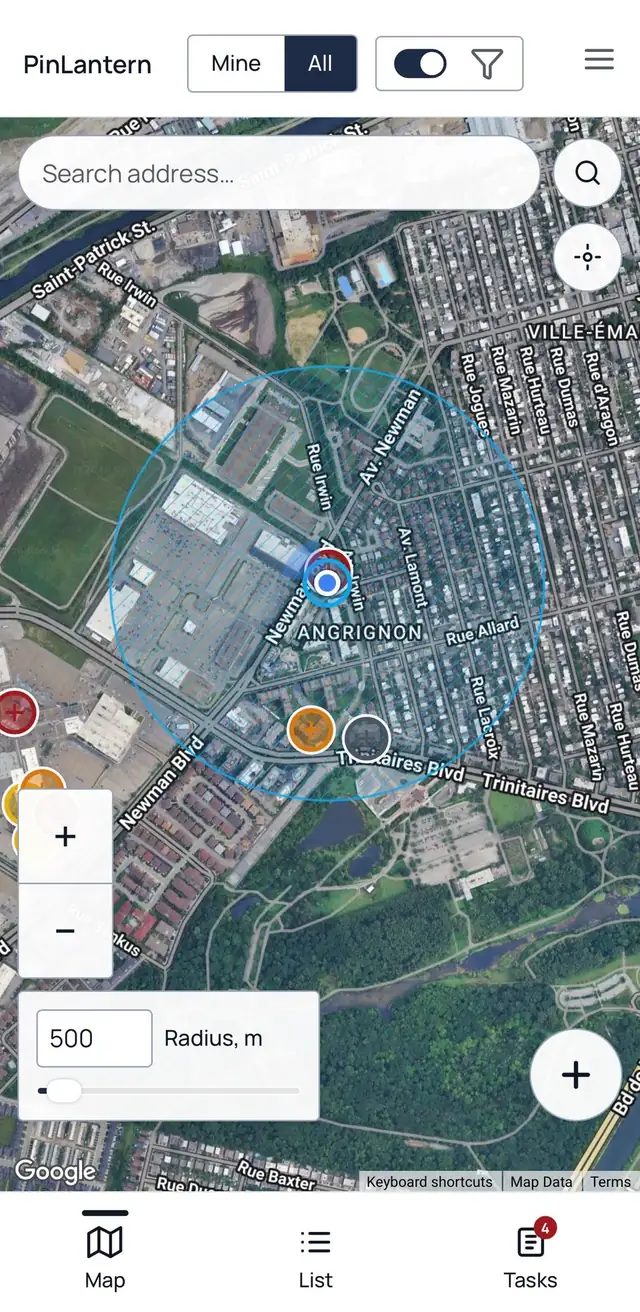
PinLantern on a tech’s phone: satellite map, current location and units within a 500-metre radius.

Everything for the job

Everything a tech needs before starting.

Directions to the right entrance

Directions open in Google Maps to the saved access point — a door, ladder or entrance — not to the equipment on the roof.

What to bring

For the selected units, the tech sees filter and belt sizes and quantities. Prep before leaving and stop at the shop once, instead of going back for missing parts midday.

Unit history

Service history, photos, tasks, documents, specs and comments stay with the unit. The next tech doesn’t have to call the last one or figure out the site from scratch.

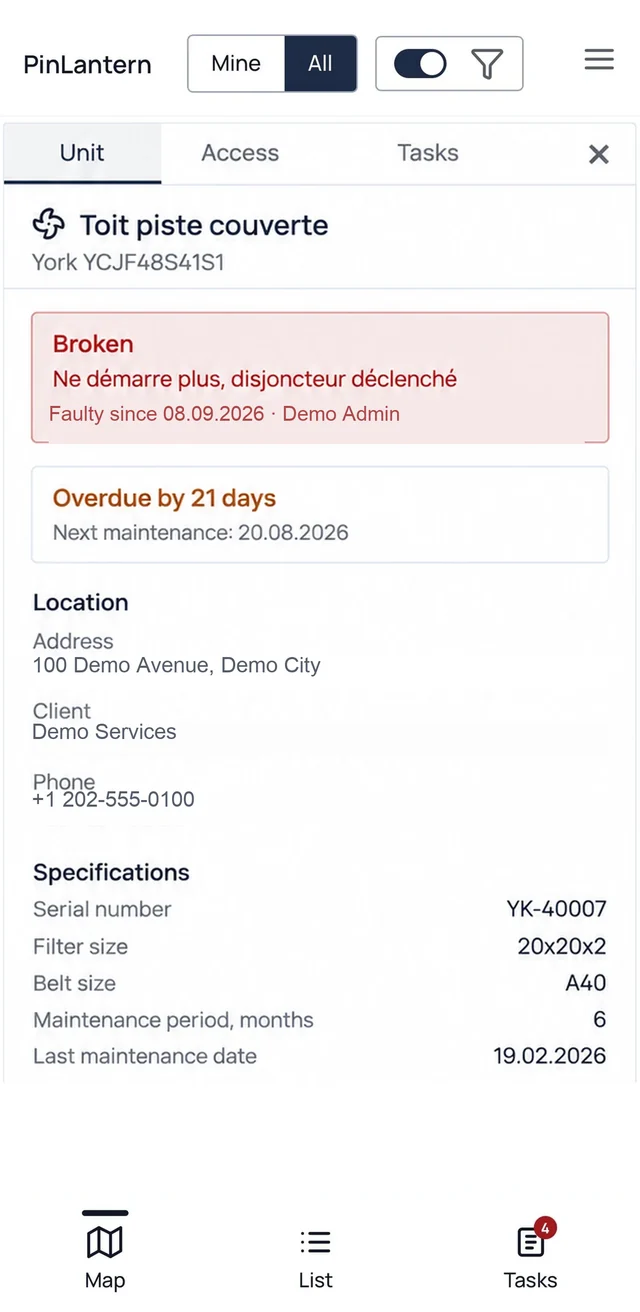
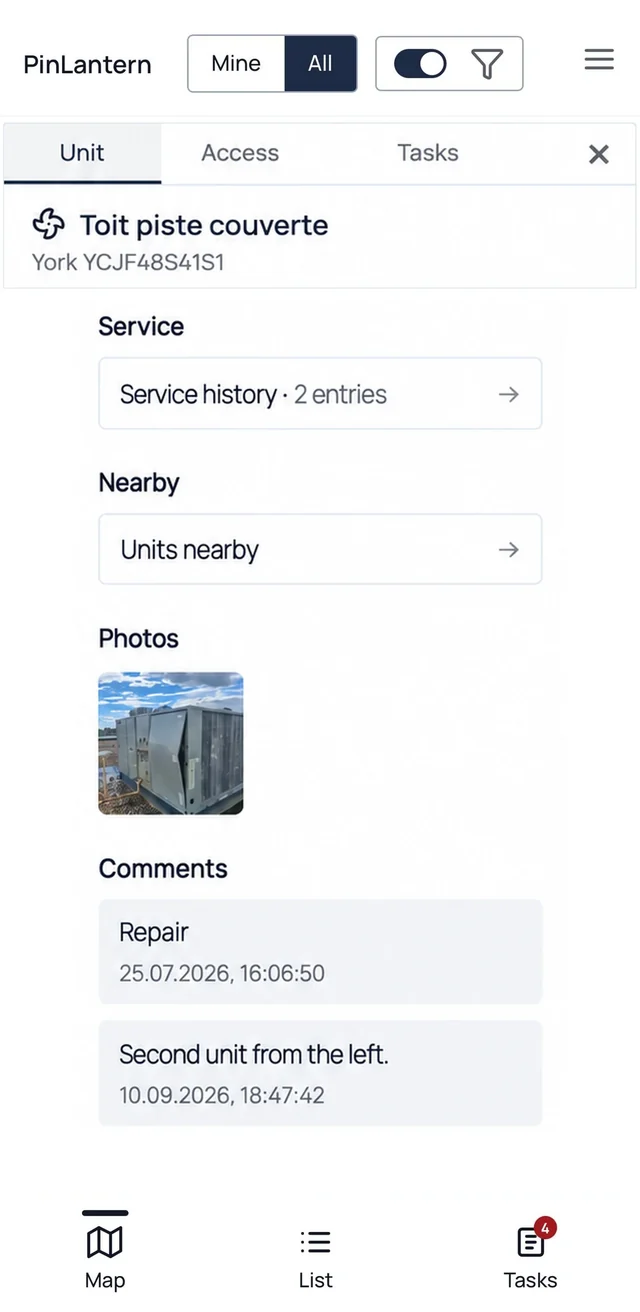
Toit piste couverte details: model, fault, maintenance dates, location, serial number, filter and belt.
Toit piste couverte service context: service history, nearby work, equipment photos and comments.

Alongside your FSM and CRM

No need to replace
your whole system.

PinLantern ties the map not to a site address, but to each individual piece of equipment. Every unit has its own location, access point, service context and history.

PinLantern doesn’t replace your FSM or CRM. Invoicing, scheduling and your customer base stay where they already work. PinLantern adds what’s missing: exactly where the equipment is, how to get to it and what else can be done nearby.

For service companies

Built for commercial HVAC.
Works for other distributed equipment too.

Product demo

See PinLantern at work.

From finding a specific unit and its entrance to picking nearby work and prepping for the trip.

Before your first trip

The essentials,
in brief.

Do we need to add all our equipment first?

No. Start with one site or a small group of units and add the rest of your units over time. A unit is added right on the satellite map: the tech points the crosshair at the unit and confirms the spot.

Does it work on a phone?

Yes. Techs open the map, equipment cards and their tasks in their phone’s browser. Nothing to install.

Can we use it for more than HVAC?

Yes. The approach works for pumps, boilers, solar systems, fire protection and electrical equipment. We can check the specs your equipment needs during the demo.

Can you add a feature that isn’t there yet?

Yes. PinLantern grows with service teams: access points, directions to the entrance, the parts list and nearby-work search all came from techs’ requests. Tell us what your team needs. Improvements that help many companies are added to the product for everyone. Custom work for a single company is discussed separately.

What data is stored for each unit?

Model, serial number, specs, location, access, condition and maintenance dates, photos, documents, service history, tasks and comments.

Where is company data stored?

Data is stored in Canada. Each company’s data is isolated from the others at the database level. A company can export its data at any time or ask for it to be deleted.

This page shows demo data.

Start with one site

Find the right unit. Get more done in one trip.

Request a demo built around a service call from your team.

Request a demo

Tell us about your company and the equipment your team services.

Contact details